Where a team's 40-hour week goes, from one calendar.
Our team logged time in a separate tool, and most of it was guesswork at the end of the week. I wanted to see how each person's week split across the work that actually matters: task execution, review, client calls, monitoring and reporting. I built a Google Apps Script that reads each person's calendar, tags every block, and sends the answer by email.
What the team sees.
The weekly and daily emails from a sample week, and the script behind them. Names, company and client details are anonymised.
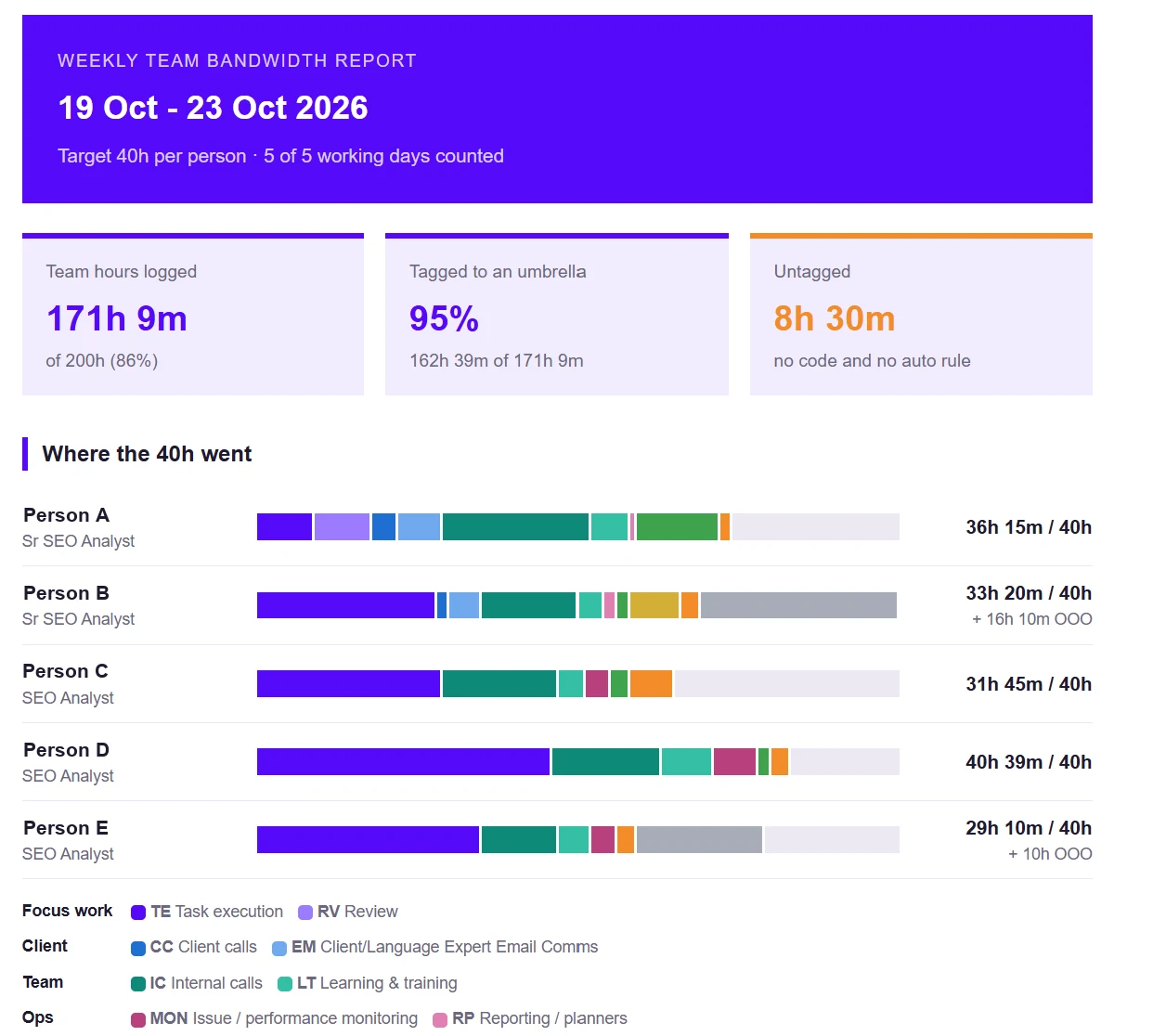
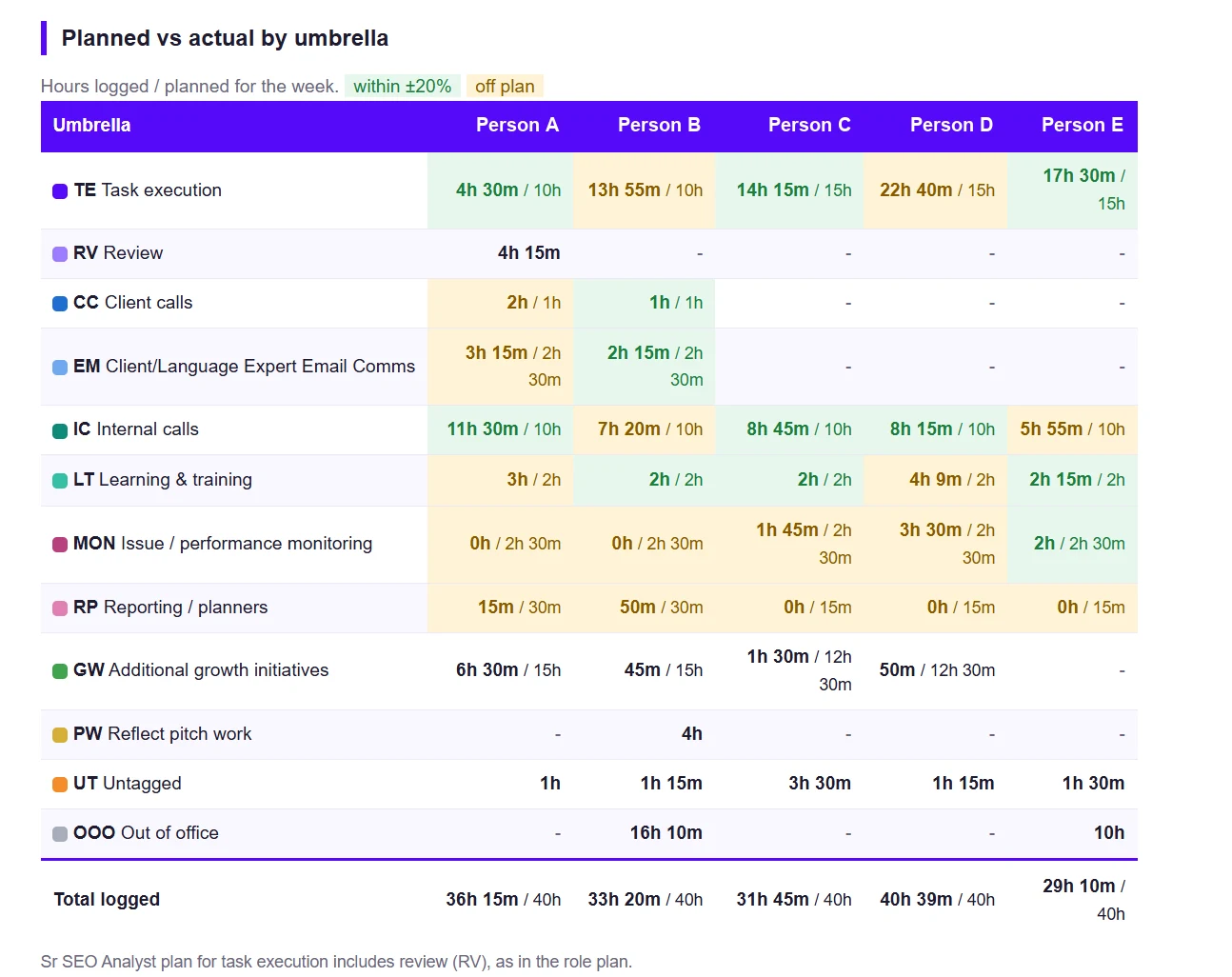
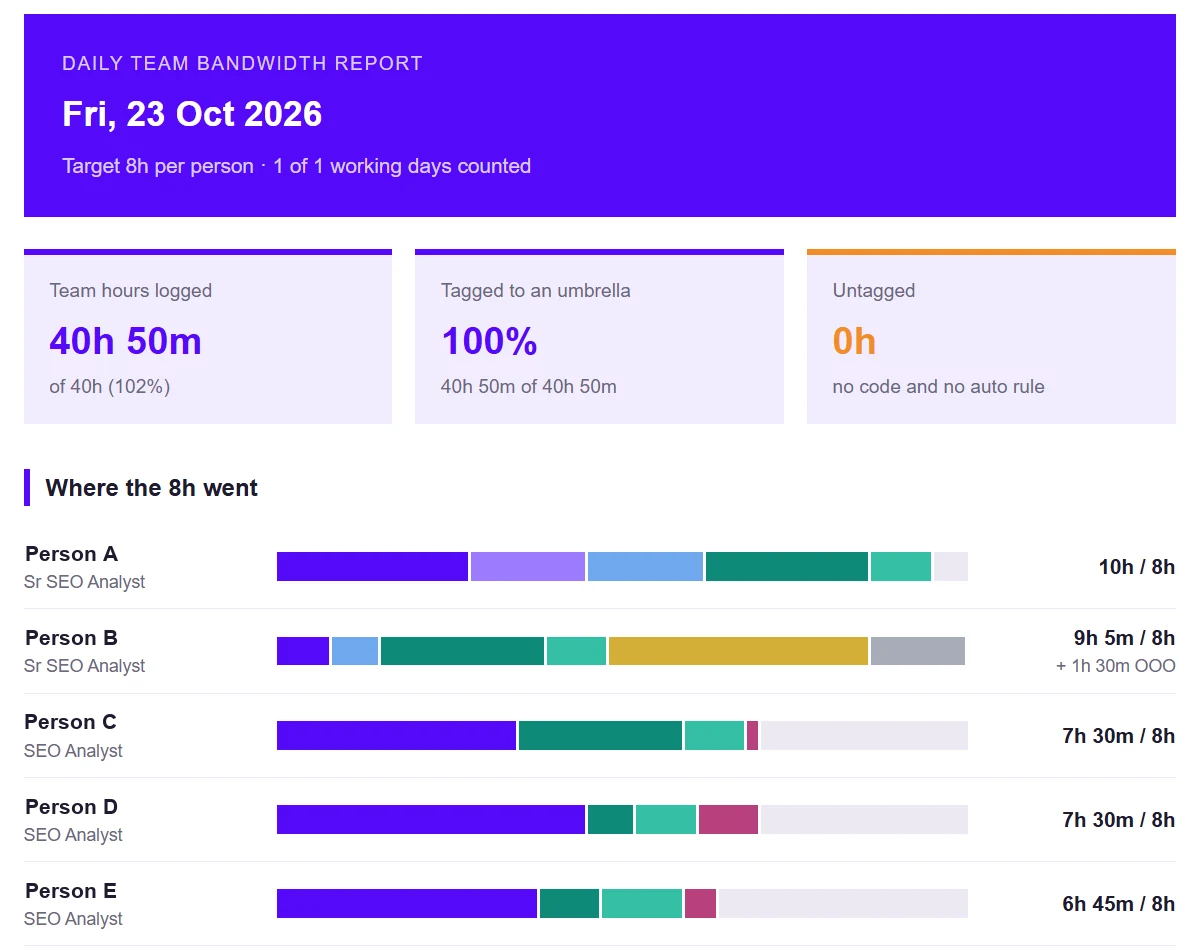
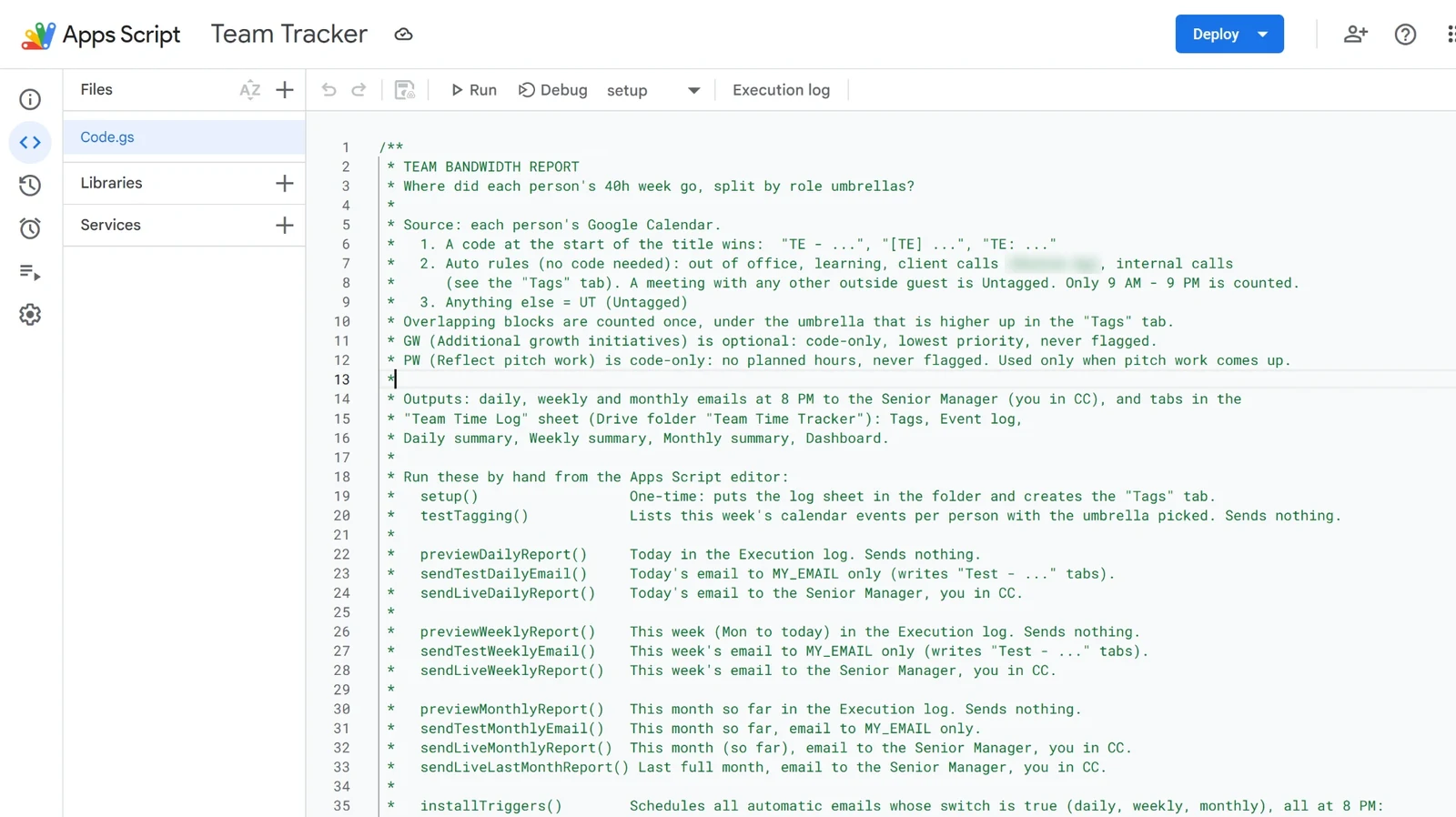
Hours logged, work unseen.
Time reports were manual, always late, and told me hours but not what kind of work they were. A senior person's week looks very different from an analyst's, and the same total hides that. I needed one number per umbrella, per person, and an easy way to spot who was over or under plan.
Six steps, every evening.
Each box is one step. Press Run workflow to watch a report being built, or click any step to read what it does.
Scroll sideways to see the whole flow →
Accurate by default, easy to change.
Overlaps counted once
Each slice of time goes to one umbrella, so totals never exceed the working window.
Codes in the title
A two- to four-letter code at the start of an event is enough. No separate form to fill in.
Plans per role
A senior analyst's review time counts toward task execution, as in the role plan. Analysts get their own plan.
Settings in a sheet
Codes, keywords and weekly plans live in a Tags tab. Changes take effect on the next run, with no code edits.
Gaps show up, not zeros.
Untagged is listed
Blocks with no code and no rule are counted as Untagged and listed in the email, so they're easy to fix.
Unshared calendars named
If a calendar isn't shared, the report says so instead of showing zeros.
Declined events skipped
Events the person declined are not counted.
Test mode first
Test mode sends every email to me only, so changes can be checked before the team gets them.
Time reporting became a short read.
Time reporting moved from a manual task to a short read each week. Each person can see their own split against plan, and the senior manager gets one email with the whole team. Setting it up for a new team member takes [FILL] minutes.